Nudges
For staff: sending a nudge to one student or several at once, and the nudge history.
Sending one nudge
From a student's page, select Send nudge. The dialog has Subject * and Message * fields, and a live Preview on the right that shows the message resolved for that student:
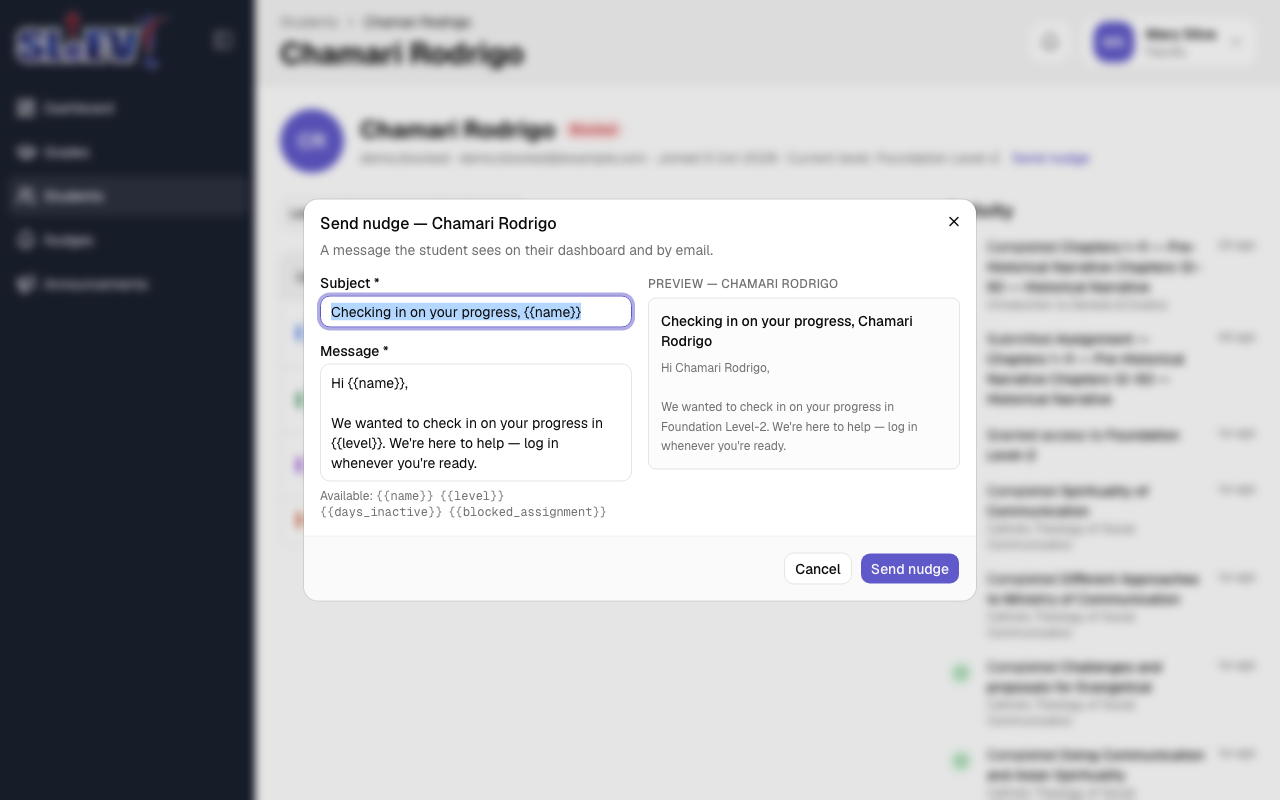
You can use these tokens anywhere in the subject or message — the app fills them in for each student when it sends:
| Token | Becomes |
|---|---|
{{name}} |
the student's name |
{{level}} |
their current level |
{{days_inactive}} |
how many days since their last progress |
{{blocked_assignment}} |
the title of the assignment blocking them, if any |
Select Send nudge. The dialog switches to "✓ Queued — the student sees it on their dashboard and gets an email." — select Done to close it.
Sending to several students at once
On the Students page, tick the checkbox on each student you want to nudge. A bar appears at the bottom of the page with a count, Clear and Send nudge →. This opens Nudge selected students — the same Subject/Message composer (the preview uses the first selected student), with Send to N students.
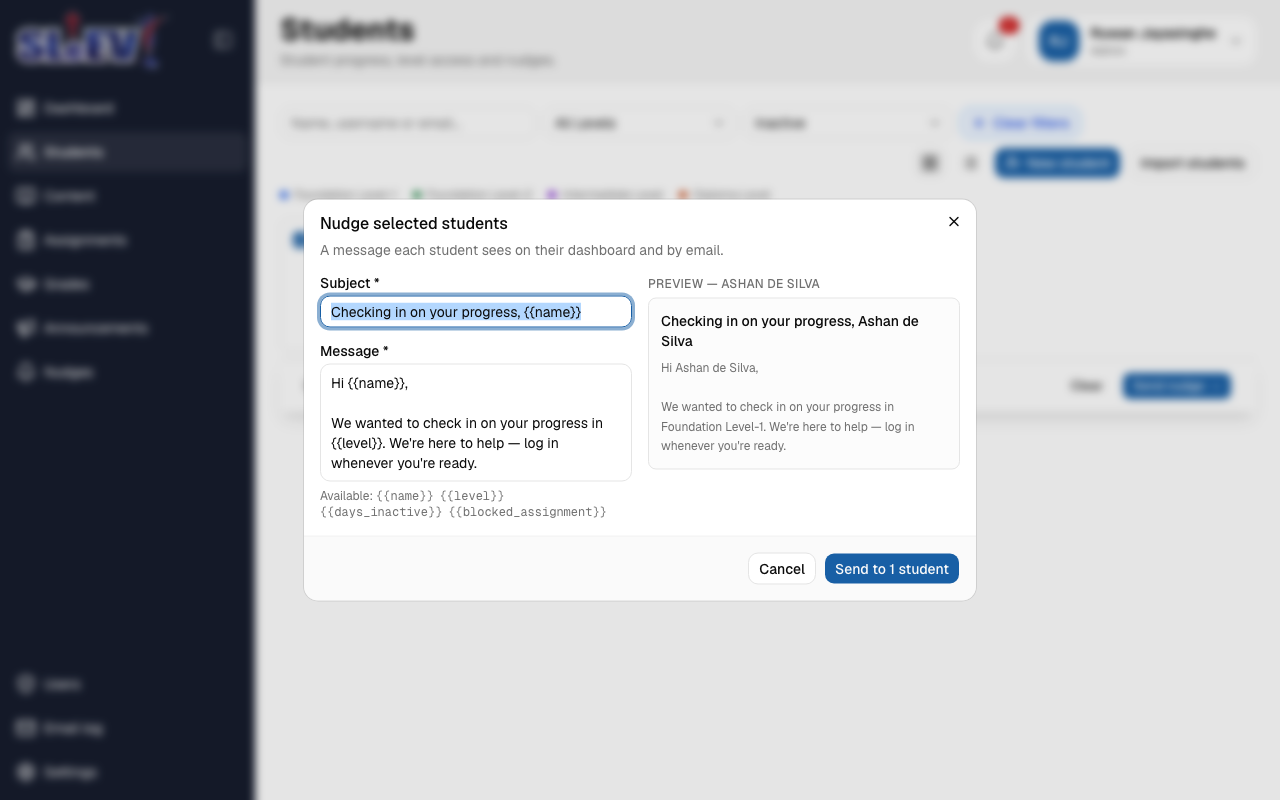
While it's sending you'll see "Sending X of Y…"; when it's done, "Queued X of Y — Z failed" lists any failures with their error, and a Retry failed button sends to just those students again. Select Done when you're finished.
Nudge history
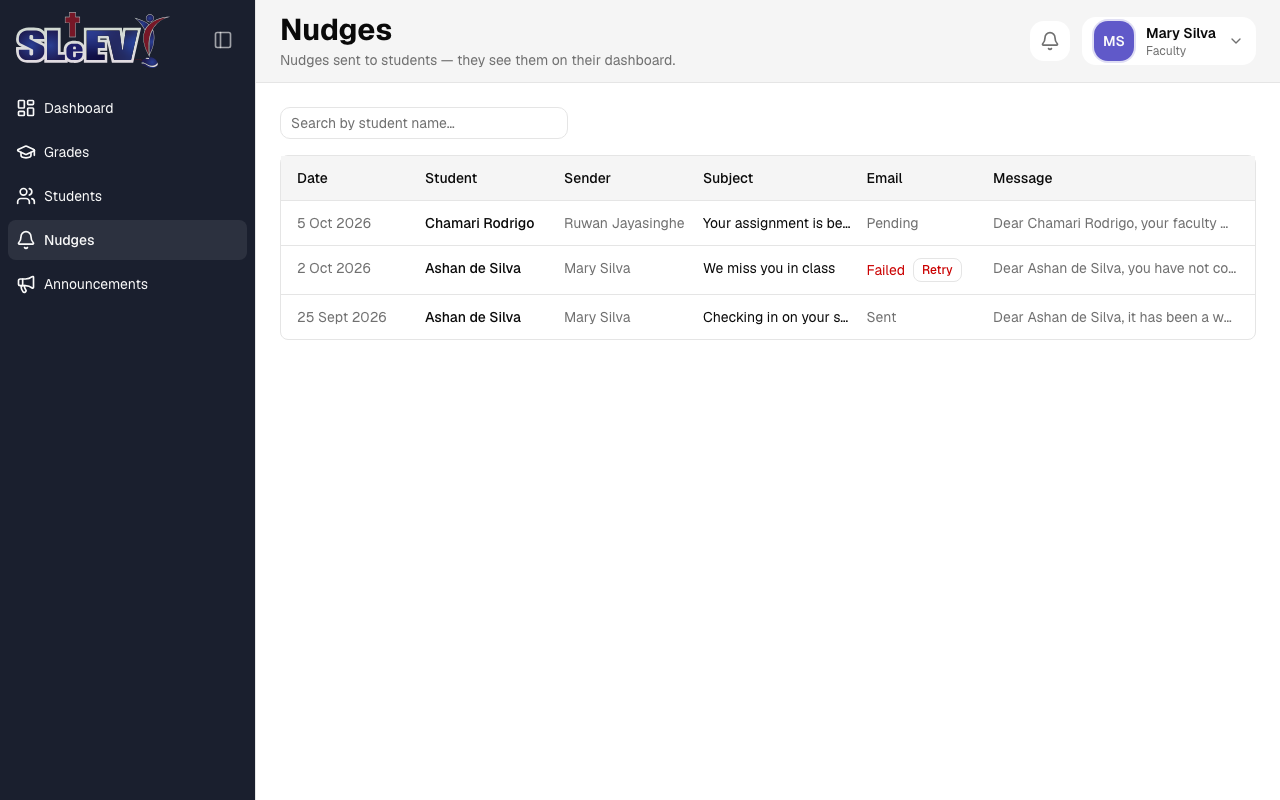
Open Nudges in the sidebar for every nudge sent (a student's own Nudges tab shows just theirs). A "Search by student name…" box filters the list; columns are Date, Student, Sender, Subject, Email and Message.
The Email column shows the delivery status as the app renders it — lowercase sent or pending, but capitalised Failed, or In-app only — the last one means either the student has no email address on file, so the nudge only ever reached their dashboard, or (less often) their email was cancelled because they're banned or their address is a placeholder. A Retry button sits beside Failed only when the email still has content to resend; retrying can itself turn a row into In-app only if the recipient can no longer receive email.
Next
- Students and progress — finding a student and their Nudges tab.
- Announcements — messaging a group rather than one student at a time.