Archiving students
For admins: closing the account of a student who has finished or left, finding them again, and restoring them. Faculty can see archived students but can't archive or restore.
Nobody is ever deleted. Archiving closes the account and takes the student off your working lists, and keeps everything they did.
When to archive
Archive a student when they have completed the course or stopped taking part. Doing it keeps the Students list, the dashboard figures, nudges and announcements about the people who are still studying.
Archiving a student
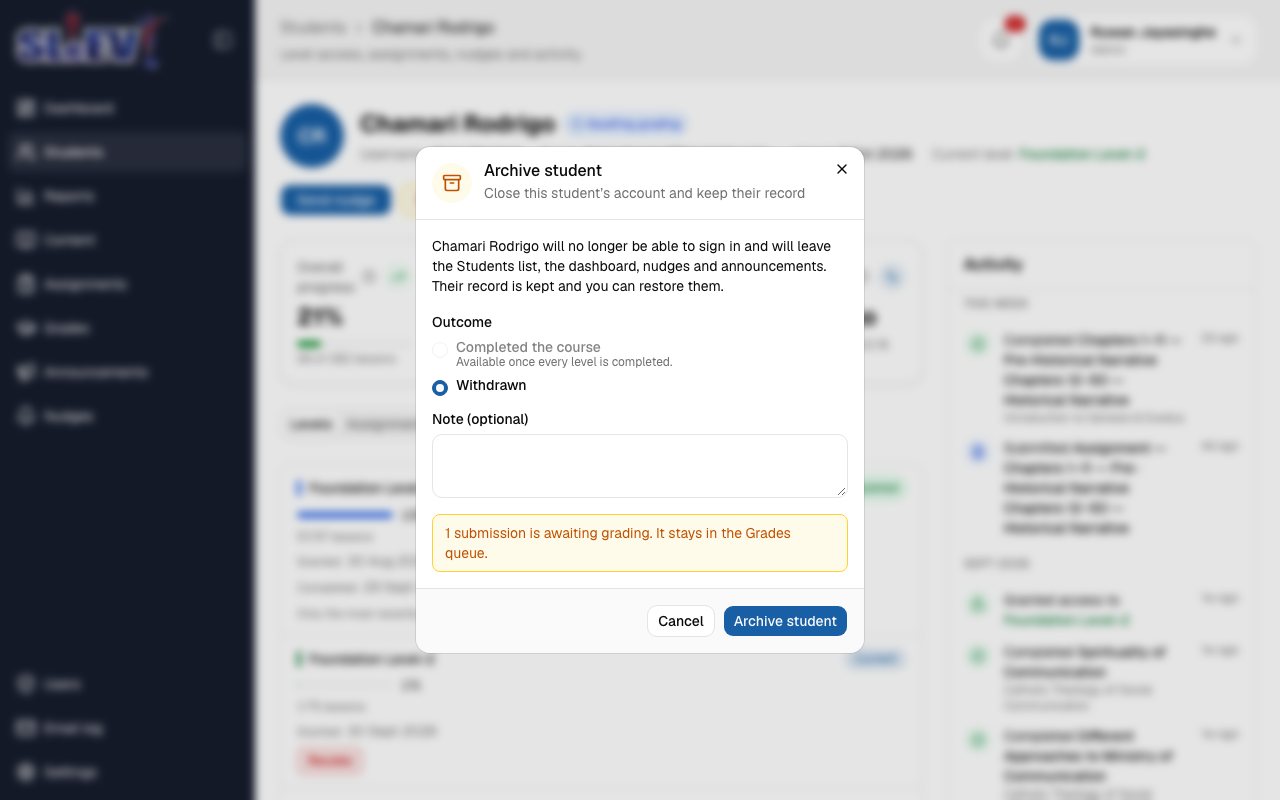
- Open the student's page and select Archive student.
- Choose the Outcome:
- Completed the course — only offered once every level is completed. Until then it's greyed out, with "Available once every level is completed." beneath it.
- Withdrawn — for any student who has left without finishing.
- Add a Note if you want one (optional). It is shown on the student's page.
- If the dialog warns that submissions are awaiting grading, read it first. Those submissions stay in the Grades queue, so they still get graded.
- Select Archive student.
If the account was suspended, the dialog says so. It becomes archived instead.
What happens
- The student can no longer sign in. They see "This account is closed. Contact the course administrator." and are signed out of every device at once.
- They leave the Students list, the dashboard figures, nudges and announcements.
- Any email still waiting to be sent to them is cancelled. They are not sent a message about being archived.
- Levels they have completed are marked as completed, so their record is whole.
- Their record stays: levels, progress, grades and activity. You can open it at any time.
An archived student's page
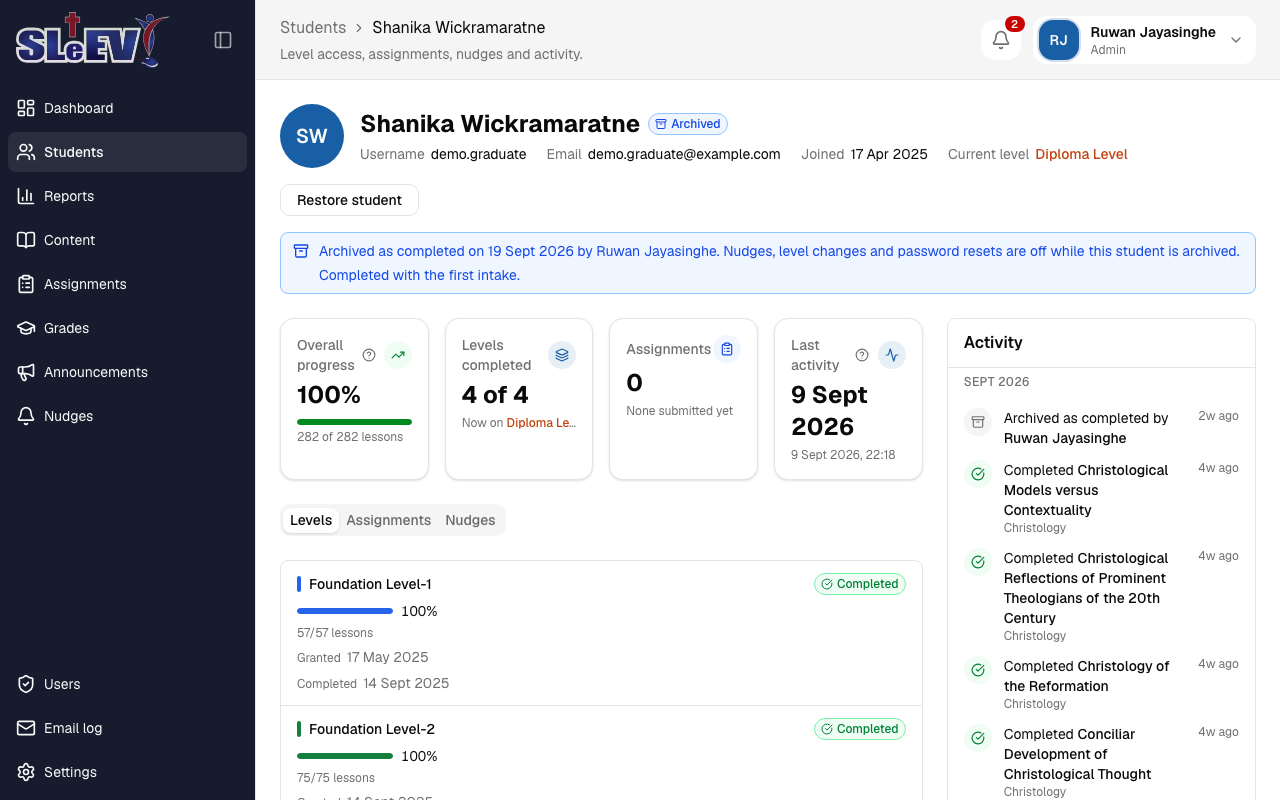
The page shows an Archived pill and a line such as "Archived as completed on 9 Oct 2026 by Name", followed by your note. Nudges, level changes and password resets are switched off while the student is archived.
Archived students
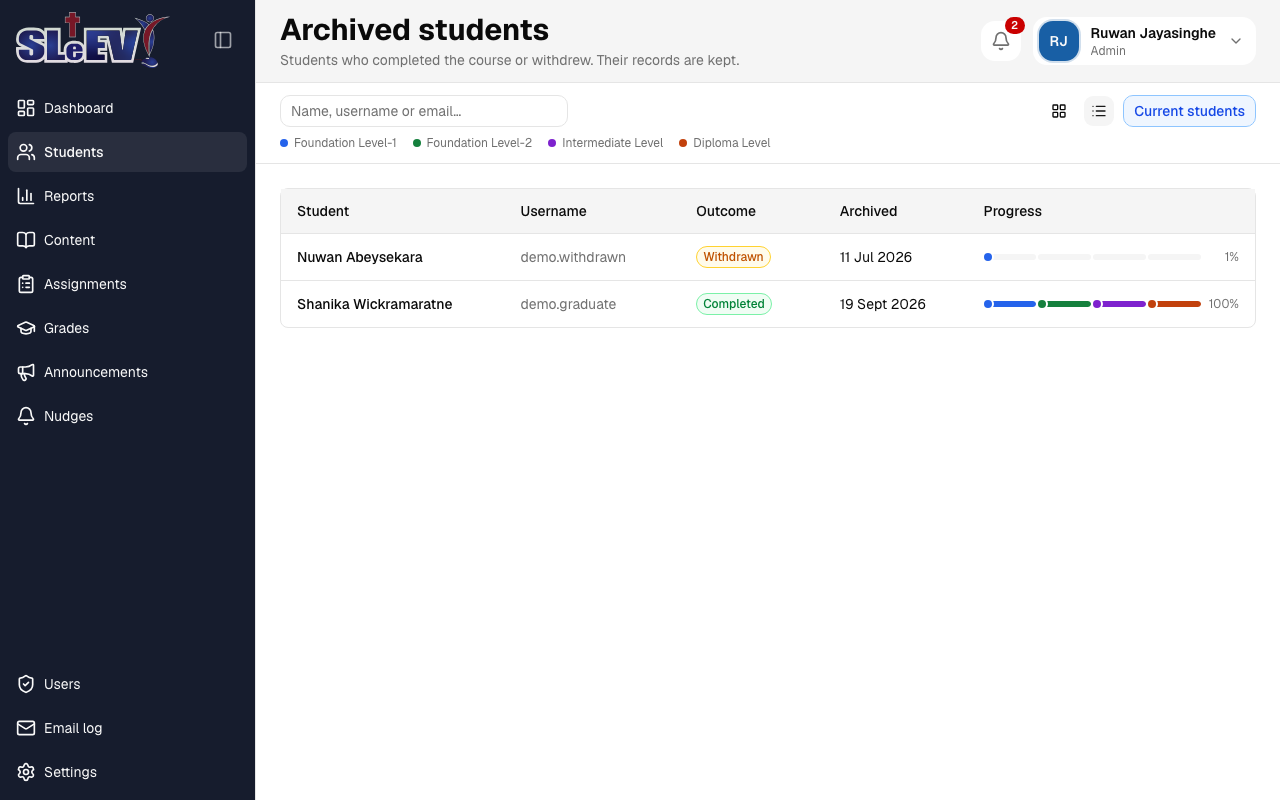
On the Students page, select Archived (next to the view buttons) to see everyone who is archived. It works like the Students list: cards or a table (the two view buttons), each student with the same progress bar across the levels, their Outcome and the date they were Archived; the table also shows the Username. Search by name, username or email. Select a student to open their page. Current students takes you back.
Restoring a student
- Open the archived student's page and select Restore student.
- Select Restore student again to confirm.
The student can sign in again and returns to the Students list with the same levels, progress and grades. Their password is unchanged: if they have forgotten it, reset it. Announcements and nudges sent while they were archived are not sent again.
If the account was suspended before it was archived, the dialog warns you. Restoring makes it active.
Students only
Only a student can be archived. An archived student's role can't be changed and they can't be reinstated from the Users page: restore them from their own page.
Next
- Reports — how archived students are counted.
- Students and progress — the Students list and a student's page.
- Users — suspending an account, which is different from archiving.